June 4, 2026 · 6 min read
Google Play Production Access Rejected? Here's How to Fix It
Google denied your app's production access? It's almost always fixable. Here's exactly why production access gets rejected and a step-by-step way to get approved on your next try.
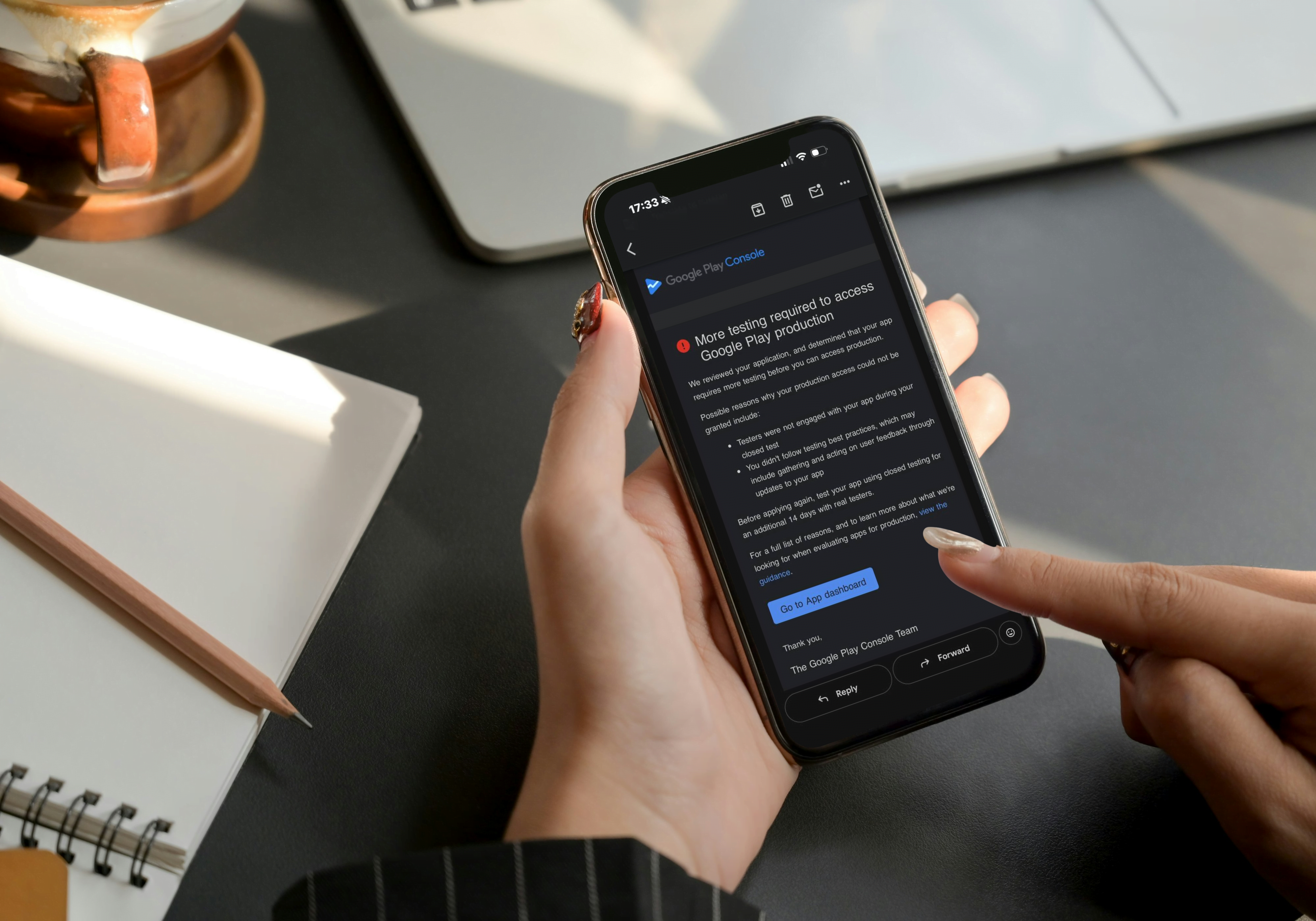
Google rejected your app for production access — and the worst part is the email barely tells you why. The good news: a rejection is almost never the end of the road. In the vast majority of cases it comes down to a handful of fixable issues around your closed testing phase. This guide walks through exactly why production access gets denied and how to get approved on the next try.
If you launched a brand-new personal developer account after November 2023, Google requires you to run a closed test with at least 12 testers for 14 consecutive days before you can even apply for production. Most rejections trace back to this requirement not being met correctly — not just on paper.
Why Google rejects production access
Google's review team checks that your testing phase was genuine, not a formality. These are the most common reasons an application gets turned down:
- Fewer than 12 active testers. You may have invited 12 people, but Google counts testers who actually opted in and installed the app — not just emails on a list.
- The 14 days weren't continuous. If testers dropped off, or the test was paused, the streak resets in Google's eyes.
- No real engagement. Installs with zero sessions look like a shortcut. Reviewers want to see the app actually opened and used.
- Testing the wrong track. Feedback gathered on an internal or open track doesn't count toward the closed-testing requirement.
- Incomplete store listing or policy issues surfaced during the deeper production review.
Pro Tip: "12 testers for 14 days" is the floor, not the goal. Accounts that comfortably clear the bar — more testers, daily activity, real feedback — get approved faster and with fewer follow-up questions.
Step 1 — Confirm your testers actually opted in
Open Play Console → Testing → Closed testing → your track → Testers. Check the number of testers who have joined, not just the size of your email list. Each tester must:
- Receive the opt-in link.
- Open it and tap Become a tester.
- Install the app from the Play Store (not a sideloaded APK).
If your "joined" count is below 12, that's your rejection reason right there.
Step 2 — Verify a clean 14-day streak
Google wants 14 consecutive days with your testing cohort in place. In the Console, review the timeline for your closed track:
- The test must have run without being stopped or rolled back.
- Testers should have remained opted in across the whole window.
- Activity spread across the period beats a single burst on day one.
Important: If you only realized late that you were short on testers and topped up on day 12, the clock effectively restarts. Plan for the full two weeks with a stable group from day one.
Step 3 — Make the testing look real (because it should be)
The review team can tell the difference between 12 installs that never opened the app and 12 testers who used it daily. To strengthen your case:
- Encourage testers to open the app on multiple days, not just once.
- Aim for a few minutes of genuine usage per session.
- Where it fits, collect short written feedback you can reference.
Step 4 — Re-apply for production access
Once you've met the bar cleanly:
- Go to Production → Countries / regions and set up your release.
- Complete every section of the store listing, content rating, and data safety form.
- Submit your production release for review.
Reviews typically take a few days. If you're rejected again, read the reason carefully — at this stage it's more often a policy or listing issue than a testing one.
A quick pre-submission checklist
- 12+ testers have opted in and installed (not just invited)
- Test ran 14 consecutive days with no gaps
- Testers showed real activity across multiple days
- Testing happened on the closed track, not internal/open
- Store listing, content rating, data safety all complete
- No outstanding policy warnings in the Console
How PlayVerify helps
Meeting the requirement reliably is the hard part — finding 12 committed testers and keeping them active for two straight weeks. That's exactly what we handle: 12 real testers, 14 consecutive days, genuine daily activity, plus a report you can point to. You focus on the app; we make the testing phase bulletproof so production review is a formality.
Ready to stop guessing? Submit your app and we'll get your closed test running today.